
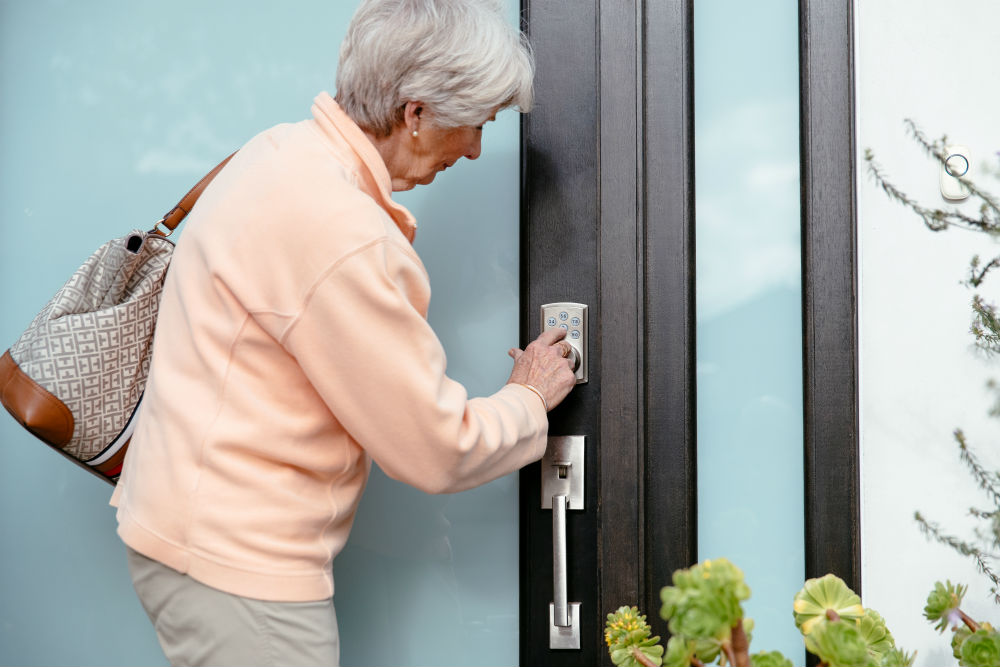
Think about how many times you’ve stood at your front door — hands full of groceries, car keys tangled in a bag, fumbling for the house key in the dark — and thought: there has to be a better way.
There is.
Smart locks and keypad entry systems have quietly become one of the best home upgrades available — and one of the most underrated. Not because they’re “safety equipment.” But because they’re just genuinely smarter than a metal key.
No more hiding a spare under the mat. No more cutting a copy for the dog walker and wondering where it ends up. No more getting locked out when you leave without checking your pocket. And if you travel, you can lock or unlock your front door from anywhere in the world from your phone — and know exactly who came and went while you were gone.
This is a smart home upgrade that happens to also make life easier, safer, and more convenient all at once. That’s the sweet spot.
What This Guide Will Do for You
We researched and compared the five best smart locks available today — from a solid budget option under $70 to premium systems under $250 — and we’re going to tell you honestly what each one does well, where it falls short, and exactly which one is right for your home and your lifestyle.
No fluff. No jargon. Just the information you need to make a smart choice.
The Short Answer
- Best budget pick: Wyze Lock Bolt — fingerprint + keypad under $70, impressive for the price
- Best overall: Schlage Encode — 100-year lock brand, ANSI Grade 1 security, built-in WiFi, just works (~$225–250)
- Most features: Ultraloq U-Bolt Pro WiFi — 6 ways to unlock including fingerprint, best value for features
- Best mid-range all-in-one: Philips WiFi Smart Lock — fingerprint + built-in WiFi + keypad under $150, strong value
- Best for renters / no-drill install: August WiFi Smart Lock — installs over your existing deadbolt in minutes
Quick Comparison Table
| Lock | Price | Entry Methods | WiFi Built-In | Best For |
|---|---|---|---|---|
| Wyze Lock Bolt | ~$70 | Fingerprint, keypad, app, key | No (Bluetooth) | Best budget pick |
| Philips WiFi Smart Lock | ~$120–150 | Fingerprint, keypad, app, key | Yes | Best mid-range all-in-one |
| Ultraloq U-Bolt Pro WiFi | ~$180 | Fingerprint, keypad, app, key, auto-unlock, shake | Yes | Most features for the money |
| Schlage Encode | ~$225–250 | Keypad, app, key | Yes | Best overall workhorse |
| August WiFi Smart Lock | ~$230 | App, key, optional keypad add-on | Yes | Best for renters, no deadbolt swap |
Why a Smart Lock Makes Sense Right Now
Before we get into the reviews, let’s address the question you might be turning over:
“Do I actually need this?”
Here’s how to think about it. A smart lock doesn’t replace security — it upgrades it. Your door is still locked. But now you also have:
A keypad. Type a code instead of digging for keys. Works every time, no matter what you’re carrying.
Access control. Give your dog walker, house cleaner, or adult child their own code. Delete it when they no longer need it. No key copying, no key chasing.
An activity log. Know exactly when your door was locked or unlocked, and by whom. Useful when you travel. Reassuring when you’re home.
Remote access. Lock or unlock from your phone anywhere with a WiFi-connected model. Did you forget to lock up when you left? Two taps and you’re done.
Auto-lock. Set it and forget it. The door locks itself after a time you choose. You’ll never lie in bed at night wondering if you locked up.
None of that is medical equipment. None of that is about getting old. That’s just a smarter front door.
Detailed Reviews
1. Wyze Lock Bolt — Best Budget Pick
Price: ~$70 | Entry: Fingerprint, keypad, app, key | WiFi: Bluetooth only
What Makes It Great
Wyze built their entire brand around the idea that quality doesn’t have to cost a fortune — and the Wyze Lock Bolt delivers on that promise in a way that genuinely surprises people. Under $70, it includes a fingerprint reader that stores up to 50 fingerprints, a backlit keypad for PIN entry, Bluetooth app control, and a physical key backup. That feature set would have cost $200+ a few years ago.
Battery life is one of the best in any lock we reviewed — Wyze users consistently report six months or more between battery changes, which is rare and genuinely convenient.
SafeWise called it the most affordable digital door lock on their 2026 list while noting it doesn’t feel cheap. CNN Underscored testers completed installation in 15 minutes. The geofencing feature uses your phone’s location to auto-unlock as you approach — hands full of groceries, door opens as you reach the steps.
Who It’s Best For
The Wyze Lock Bolt is the right call if you want to try a smart lock without a significant investment, if you want fingerprint entry at an entry-level price, or if this is going into a secondary door like a garage entry or back door. It’s also genuinely good as a primary lock for anyone on a budget who doesn’t need remote WiFi access.
What to Watch Out For
The Wyze Lock Bolt uses Bluetooth only — no built-in WiFi. That means you can’t lock or unlock it remotely from outside your home unless you add a separate Wyze hub (sold separately). If remote access matters to you, budget up to the Schlage Encode or Ultraloq. Also, it replaces your existing deadbolt entirely, so it’s not ideal for renters who can’t modify the door hardware.
Current Pricing
- Lock: ~$70 on Amazon
- Optional keypad: included
- No monthly fees, no subscription
Our Honest Verdict
Outstanding value. If the $70 price point surprises you given the feature list — it should. We’d recommend this without hesitation as a budget option or secondary door lock.
[AFFILIATE LINK — WYZE LOCK BOLT]
2. Schlage Encode — Best Overall
Price: ~$225–250 | Entry: Keypad, app, key | WiFi: Built-in
What Makes It Great
Schlage has been making locks for over 100 years. They know locks. The Schlage Encode brings that century of physical security engineering together with built-in WiFi, a smartphone app, and one of the cleanest keypad experiences available — and it earns an ANSI Grade 1 security rating, the highest residential standard available.
Built-in WiFi means no hubs, no bridges, no extra devices. Plug in the lock, connect to your home network, and you have full remote access from anywhere. Lock or unlock from your phone in Maui, check who came in while you were at the grocery store, get a notification if the door is left ajar.
The keypad supports up to 100 unique PIN codes. That’s enough for family, a housecleaner, a dog walker, a house sitter, and a dozen more. You can set time-limited codes — give the plumber access only on Tuesday between 10am and 2pm, and it automatically expires. The activity log shows you a complete timeline of every lock and unlock.
Installation takes about 10 minutes with a screwdriver. No special tools, no contractor needed.
Who It’s Best For
The Schlage Encode is our top pick for most people — anyone who wants a reliable, well-built, fully featured smart lock that works consistently without hassle. It’s the workhorse of this category. Works with Amazon Alexa and Google Assistant for voice control. Compatible with Amazon Key for in-garage and in-home delivery.
What to Watch Out For
The Schlage Encode doesn’t have a fingerprint scanner — entry is keypad, app, or physical key. If biometric entry is important to you, look at the Ultraloq. It also lacks geofencing (the auto-unlock as you approach), though you can set auto-lock for departure. Apple HomeKit users should look at the Encode Plus instead.
Current Pricing
- Lock: ~$225–250 on Amazon (price varies by finish)
- Available in satin nickel, matte black, aged bronze
- No monthly fees, no subscription
- Lifetime mechanical warranty, 3-year electronics warranty
Our Honest Verdict
The lock we’d put on our own front door. Grade 1 security, built-in WiFi, 100-year brand, and it just works. If you only want to make one decision and move on, this is it.
[AFFILIATE LINK — SCHLAGE ENCODE]
3. Ultraloq U-Bolt Pro WiFi — Most Features for the Money
Price: ~$180 | Entry: Fingerprint, keypad, app, key, auto-unlock, “shake to open” | WiFi: Built-in
What Makes It Great
Six ways to unlock your front door. That’s the Ultraloq’s headline, and it’s not marketing fluff — it’s genuinely useful. Fingerprint reader that unlocks in 0.3 seconds and achieves 96% first-attempt accuracy. Backlit keypad for PIN codes. Smartphone app over Bluetooth and WiFi. Physical key backup. Auto-unlock via geofencing as you approach. And a “shake to open” feature (with the app open) for when your hands are completely full.
The fingerprint scanner is the standout feature here. You never have to think about keys, codes, or your phone — your finger is the key. The scanner stores up to 100 fingerprints, so every member of your household can have their own, plus guests.
Like the Schlage, it earns ANSI Grade 1 security certification. It has a micro USB port on the exterior — if the battery dies while you’re out without your physical key, you can plug in a portable phone charger to temporarily power it and get inside. That’s thoughtful engineering.
Multiple independent testing sources — Art of Lock Picking, TechGearLab, SafeWise — rate the Ultraloq as the best feature-for-dollar smart lock available.
Who It’s Best For
The Ultraloq U-Bolt Pro is the right choice if you want the fingerprint experience, if you regularly come home with your hands full and want the most frictionless entry possible, or if you want maximum features without paying $300+. It also works with Amazon Alexa and Google Assistant, and integrates with IFTTT for smart home automation.
What to Watch Out For
Setup takes more patience than the Schlage — initial pairing of the WiFi hub can be finicky and may require a few restarts. Once set up it works reliably, but budget 30–45 minutes for the initial install rather than 10. It also doesn’t support Apple HomeKit.
Current Pricing
- Lock: ~$180 on Amazon
- Available in black, satin nickel
- No monthly fees, no subscription
Our Honest Verdict
The most capable lock on this list for the money. If the fingerprint feature appeals to you — and it should — this is the one. Just be prepared for a slightly more involved setup than the Schlage.
[AFFILIATE LINK — ULTRALOQ U-BOLT PRO]
4. Philips WiFi Smart Lock — Best Mid-Range All-in-One
Price: ~$120–150 | Entry: Fingerprint, keypad, app, key | WiFi: Built-in
What Makes It Great
Philips has been a trusted name in home technology for decades, and their WiFi Smart Lock delivers a genuinely impressive feature set at a price that sits right in the sweet spot — more capable than the Wyze, less expensive than the Ultraloq, and with built-in WiFi so there’s nothing extra to buy.
Fingerprint recognition unlocks in 0.3 seconds with 99.99% accuracy — your finger is the key, full stop. The backlit keypad supports up to 100 PIN codes: permanent codes for family, time-limited codes for housecleaners, one-time codes for deliveries that delete themselves after use. Built-in WiFi means full remote access from your phone anywhere, real-time activity notifications, and voice control via Alexa and Google Assistant — no hub, no bridge required.
Auto-lock engages 30–180 seconds after the door closes, adjustable in the app. The Philips Home Access app is clean and functional — manage codes, check activity, lock or unlock remotely. Battery life runs approximately six months with normal use, and a low-battery alert gives you plenty of warning before it becomes an issue.
Who It’s Best For
The Philips WiFi Smart Lock is the right call for anyone who wants fingerprint entry and built-in WiFi remote access without paying premium prices. It fills the mid-range gap perfectly — more capable than the Wyze, meaningfully less expensive than the Ultraloq or Schlage, and complete as a standalone package right out of the box.
What to Watch Out For
One important note: Philips makes several smart lock models, and some lower-tier versions require a separate WiFi bridge for remote access — that’s the source of mixed reviews in their catalog. The model we’re recommending here has built-in WiFi and needs no additional hardware. Confirm “built-in WiFi” in the product listing before purchasing. Also note this model is not ANSI Grade 1 certified — it’s a solid residential lock, but doesn’t carry the same certified brute-force resistance rating as the Schlage Encode or Ultraloq.
Current Pricing
- Lock: ~$120–150 on Amazon
- Available in matte black and satin nickel
- No monthly fees, no subscription
- 12-month warranty, US-based phone and email support
Our Honest Verdict
Strong value at a competitive price point. Fingerprint + built-in WiFi + keypad + clean app under $150 is a genuinely good deal — and the Philips name means you’re not rolling the dice on an unknown brand. Just confirm you’re buying the built-in WiFi model.
[AFFILIATE LINK — PHILIPS WIFI SMART LOCK]
5. August WiFi Smart Lock — Best for Renters or No-Drill Installs
Price: ~$230 | Entry: App, key, optional keypad add-on | WiFi: Built-in
What Makes It Great
Every other lock in this guide replaces your deadbolt entirely. August takes a completely different approach: it installs over the interior side of your existing deadbolt in about 10 minutes, leaving your exterior hardware exactly as it is. Your keys still work. Your exterior still looks the same. But now you also have full smart lock capability — remote access, app control, activity log, auto-lock, and integration with Alexa, Google Assistant, Apple HomeKit, Samsung SmartThings, and more.
This makes August uniquely ideal for people who can’t or don’t want to modify their door hardware — renters, condo owners with HOA hardware requirements, or anyone who wants smart capability without permanent changes.
SafeWise named it the best smart lock overall for 2026 for its combination of easy installation, broad smart home compatibility, and polished app experience. The August app is widely considered the best-designed in the category.
The DoorSense feature is worth calling out specifically: a small sensor tells you whether your door is physically open or closed — not just locked or unlocked. You can receive an alert if the door is left open. That’s a genuinely useful piece of awareness for anyone who travels or is sometimes distracted leaving the house.
Who It’s Best For
August is the best fit for renters who want smart lock capability without replacing hardware, for people in HOAs or condos with exterior hardware restrictions, and for anyone who wants the broadest possible smart home integration. It’s also worth considering if you already have a high-security deadbolt you like and don’t want to replace it.
What to Watch Out For
At ~$230, August is the most expensive lock in this guide — and notably, the keypad is a separate purchase (~$60 additional) if you want PIN code entry, which most people will. That brings the full setup to ~$290 before you have a complete replacement for keys. The lock also doesn’t have a fingerprint scanner. And because it doesn’t replace the deadbolt, your physical security is only as good as your existing deadbolt.
Current Pricing
- Lock: ~$230 on Amazon
- Optional keypad add-on: ~$60
- No monthly fees, no subscription
Our Honest Verdict
A genuinely elegant solution for people who need or prefer a non-invasive install. If you’re a renter, or if easy smart home integration and a polished app experience are priorities, August earns its spot. Just budget for the keypad add-on if you want PIN entry — you’ll want it.
[AFFILIATE LINK — AUGUST WIFI SMART LOCK]
Buyer’s Guide: What to Look for
WiFi vs. Bluetooth: Understand the Difference
Bluetooth-only locks (like the Wyze Lock Bolt) work when you’re within range of the lock — great for auto-unlock as you approach, but you can’t lock or unlock remotely from across town.
WiFi-connected locks (Philips, Schlage Encode, Ultraloq, August) connect to your home network and give you full remote access from anywhere. If remote control matters to you — and for most people it does — choose a lock with built-in WiFi.
Entry Methods: More Is Better
The more ways you can get into your home, the less likely you are to ever be locked out. A lock with keypad + fingerprint + app + physical key backup covers virtually every scenario. A lock with only app + key is simpler but leaves you more exposed if your phone dies.
Security Rating: Look for ANSI Grade 1
ANSI Grade 1 is the highest residential security rating — it means the lock has been tested to withstand forceful entry attempts that would defeat most standard locks. The Schlage Encode and Ultraloq U-Bolt Pro both carry Grade 1 ratings.
Installation: Almost Everyone Can Do This
Every lock in this guide installs with nothing but a screwdriver. Most take 10–30 minutes. If you’ve ever changed a doorknob, you can do this. If you’d rather have someone do it, any handyman can handle it in under an hour.
Backup Power: Plan for Dead Batteries
Smart locks run on AA batteries, typically lasting 6 months to a year. All of the locks in this guide have a physical key backup for emergencies. The Ultraloq has a micro USB port that lets you power it externally if the battery dies and you don’t have a key. The Wyze Lock Bolt is notable for having among the longest battery life in the category.
Frequently Asked Questions
Can someone hack into my smart lock?
In practical terms, a well-made smart lock from a reputable brand is more secure than a traditional key lock — not less. Physical keys can be copied, lost, or stolen. Smart locks with Grade 1 ratings resist physical attacks. Most security vulnerabilities in smart locks come from user behavior (weak PIN codes, sharing access carelessly) rather than technical hacking.
What happens if the WiFi goes down?
Smart locks are battery-powered and don’t require WiFi to function locally. If your internet goes out, you can still use the keypad, fingerprint scanner, or physical key. You just won’t have remote app access until WiFi is restored.
What happens if the battery dies?
All locks in this guide have a physical key backup. The Ultraloq also has a micro USB charging port on the exterior that lets you temporarily power the lock from a portable phone charger. All locks have low-battery warning indicators — you’ll get plenty of notice before it becomes an issue.
Can I give family members or caregivers their own access code?
Yes — all locks in this guide support multiple PIN codes. You can assign unique codes to each person, set time limits on when codes work, and delete codes remotely at any time. No key cutting, no key tracking required.
Will a smart lock work on my front door?
Most standard US residential deadbolts are the same size and installation type. All five locks in this guide install where a standard deadbolt goes. The only exception is the August WiFi Smart Lock, which installs over your existing interior deadbolt hardware and works with virtually any standard deadbolt.
Do I need a professional to install this?
No. Every lock in this guide is designed for DIY installation with a screwdriver. Most people complete installation in 10–30 minutes. Detailed instructions and video guides are included or available online for each product.
Final Recommendations
For the best value under $100: Wyze Lock Bolt — fingerprint, keypad, and solid build quality at a price that makes it a no-brainer. WYZE LOCK BOLT
For the best mid-range all-in-one: Philips WiFi Smart Lock — fingerprint + built-in WiFi + keypad + clean app under $150. Confirm the built-in WiFi model before buying. PHILIPS WIFI SMART LOCK
For the most features at a mid-range price: Ultraloq U-Bolt Pro WiFi — six ways to unlock, Grade 1 security, fingerprint, micro USB backup. Best feature-to-dollar lock on the market. ULTRALOQ U-BOLT PRO
For the premium workhorse — Grade 1 security, 100-year brand: Schlage Encode — the cleanest keypad experience available, lifetime mechanical warranty, built-in WiFi. Worth the price if you want to buy once and never think about it again. SCHLAGE ENCODE
For renters or anyone who doesn’t want to replace their deadbolt: August WiFi Smart Lock — installs over existing hardware in 10 minutes, broadest smart home compatibility, best app in the category. AUGUST WIFI SMART LOCK
The era of fumbling for keys, hiding spares under mats, and lying awake wondering if you locked up is over. A smart lock is a $70–250 upgrade that pays for itself in convenience within the first week.
Pick the one that fits your door, your budget, and your life — and enjoy never losing your keys again.
afeHomeFirst.com is reader-supported. When you purchase through links on our site, we may earn a commission at no additional cost to you. We only recommend products we’d be confident putting on our own front door.